

Pinterest has changed its interface multiple times, and many users are confused because the Likes section is no longer obvious—especially on mobile.
In this guide, you’ll learn:
- How to see your liked Pins
- How to see likes on your own Pins
- Why can’t I see likes sometimes
- Differences between desktop and mobile
- What changed in Pinterest’s latest updates
All solutions below work right now.
Quick Answer
If you’re wondering how to see likes on Pinterest:
- ✔️ Go to Profile → Saved → All Pins → Liked Pins
- ✔️ Open your own Pin to see like counts
- ✔️ Use Analytics for detailed engagement
- ❌ You cannot see who liked your Pins
Likes still exist — Pinterest just made them harder to find.
Can You Still See Likes on Pinterest?
Yes, but Pinterest moved and renamed features, which is why users think likes are gone.
Pinterest now focuses more on:
- Saved Pins
- Boards
- Engagement insights
Likes still exist, but where you find them depends on what you’re trying to see.
Method: How to See Pins You’ve Liked (Desktop)
This is the most common meaning of “likes.”
Steps (Desktop Browser)
- Go to Pinterest.com
- Log in to your account
- Click your profile photo (top-right)
- Click Saved
- Select All Pins
- Use the filter → choose Liked Pins
If you don’t see “Liked Pins” immediately, scroll down — Pinterest sometimes loads it lower in the list.
Method: How to See Liked Pins on the Pinterest Mobile App
Pinterest’s mobile app hides this more than its desktop.
Steps (iOS & Android)
- Open the Pinterest app
- Tap your profile icon (bottom-right)
- Tap Saved
- Tap All Pins
- Scroll until you see Liked Pins
⚠️ Important:
If you don’t see “Liked Pins,” make sure your app is fully updated.
Method: How to See Likes on Your Own Pins (Creator View)
If you want to see how many likes your Pins received, do this:
Steps
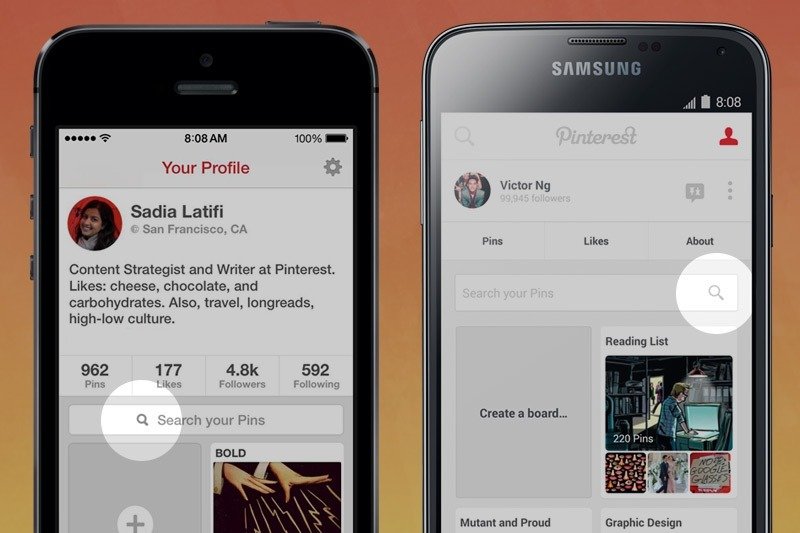
- Go to your Pinterest profile
- Click or tap one of your Pins
- Look below the Pin image
You’ll see:
- ❤️ Like count
- 📌 Saves
- 💬 Comments (if enabled)
📌 Pinterest may show Saves more prominently than Likes, depending on the account type.
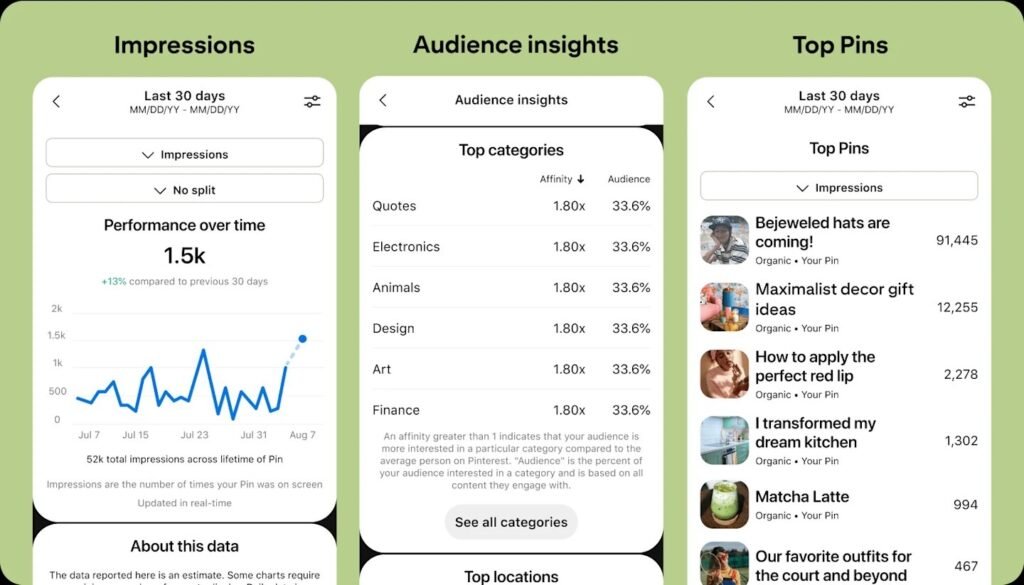
Method: How to See Likes Using Pinterest Analytics (Best for Creators)
If you’re a creator or business, analytics gives clearer data.
Steps
- Go to Pinterest Analytics
- Select Overview or Content
- Click a Pin
- View engagement metrics
You’ll see:
- Likes
- Saves
- Outbound clicks
- Impressions
⚠️ Note:
Analytics only shows your own Pins, not Pins you liked.
Why Can’t I See Likes on Pinterest?
This is one of the most searched follow-up questions.
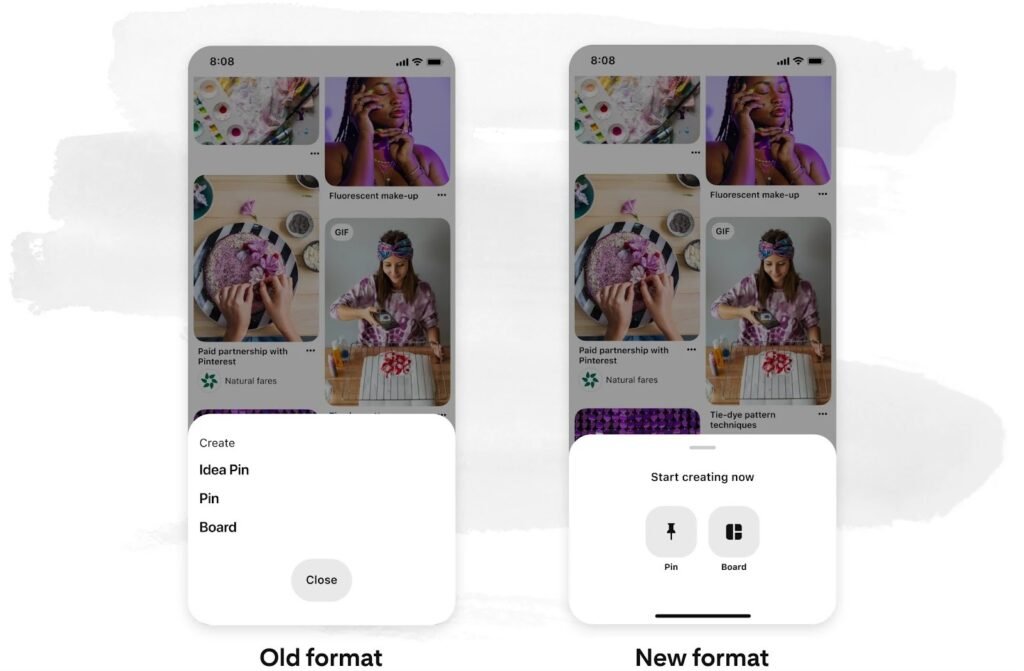
Reason: Pinterest UI Changes
Pinterest removed the Likes tab from the main navigation. Likes now live under Saved → All Pins.
Reason: App or Browser Is Outdated
Older versions hide or break the Likes filter.
Fix: Update the Pinterest app or browser.
Reason: You’re Using a Business Account
Pinterest prioritizes Saves and Clicks over Likes in business accounts.
Likes still exist — they’re just less visible.
Reason: Pinterest Is Testing New Layouts
Pinterest runs A/B tests, so features may appear or disappear temporarily.
Can You See Who Liked Your Pins?
Short answer: ❌ No
Pinterest does not show a list of users who liked your Pin.
You can only see:
- Total like count
- Total saves
- Comments (if enabled)
This is a privacy design decision by Pinterest.
Difference Between Likes and Saves (Important)
Many users confuse these two.
Likes
- Indicate appreciation
- Personal reference
- Less important for reach
Saves
- Add Pins to boards
- Strong signal for the Pinterest algorithm
- Increase distribution
Pinterest now treats Saves as more valuable than Likes, which is why Likes are less emphasized.
How to Like a Pin (Quick Reminder)
If you’re new to Pinterest:
Desktop
- Hover over a Pin
- Click the ❤️ icon
Mobile
- Tap the ❤️ under the Pin
Liked Pins are automatically added to your Liked Pins collection.
Troubleshooting: Likes Not Showing
If likes don’t appear:
Try this checklist:
- Hard refresh the page
- Log out & back in
- Update app
- Clear browser cache
- Try another device
If likes still don’t appear, Pinterest may be experiencing a temporary UI issue.
Do Likes Affect Pinterest Algorithm?
Yes — but less than Saves.
Likes:
- Signal engagement
- Help initial distribution
Saves:
- Drive long-term reach
- Increase visibility across feeds
If you’re a creator, focus on Saves, not Likes.
Conclusion
Pinterest hasn’t removed likes, but it changed where and how they’re displayed. Whether you’re a casual user or a creator, the methods above let you view likes reliably using current Pinterest features.If you don’t see Likes immediately, update your app and check under Saved Pins.